How to Choose a Pixel Phone Case That Fits and Protects
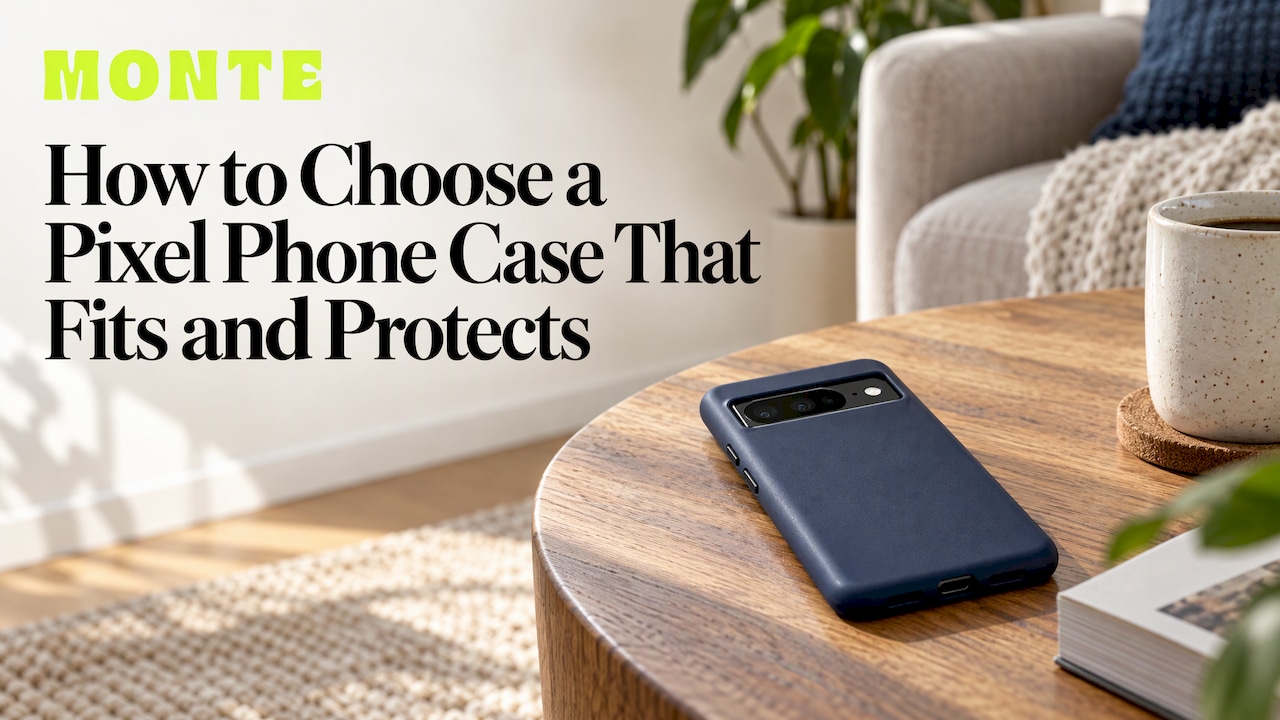
The right Pixel case comes down to four checks, in this order: the exact model you own, the level of drop protection your day needs, how the case treats the buttons, camera bar and charging, and then the look. Get the first one wrong and nothing else matters, because a case cut for a different Pixel will not sit properly. Get all four right and you have a case that protects the phone and that you actually enjoy holding. Our phone cases come in limited-run designs with dual-layer drop protection for iPhone, Samsung and Pixel, and the steps below apply to any Pixel buyer in Australia.
TL;DR
- Confirm your exact Pixel model first. Pixel, Pixel Pro and Pro XL phones from the same generation are different sizes, and cases are cut for one body.
- Choose protection by how you live: a commute and a desk need less than a building site, a festival or a toddler.
- Check the cut-outs: the camera bar, the buttons and the charging port should all be easy to use.
- If you use magnetic chargers or wallets, buy a case designed for magnets rather than hoping for the best.
- Pick style last, and pick it deliberately: colour, finish and a design that is not on every other phone.
Table of Contents
- Step 1: Confirm exactly which Pixel you have
- Step 2: Match protection to how you actually use the phone
- Step 3: Check the details that decide daily comfort
- Step 4: Charging, magnets and wallets
- Step 5: Choose the style, then the colour
- Building a set, not just a case
- A quick checklist before you order
- Where to buy and what to look for in a seller
- Our view on choosing a Pixel case
- Ready to pick yours
- FAQ
- Sources
Step 1: Confirm exactly which Pixel you have
Pixel names are close to each other, and that is where most wrong orders begin. A Pixel 10, a Pixel 10 Pro and a Pixel 10 Pro XL are three different phones, and the Pro XL is larger than the other two. Google’s own accessory help page even lists separate cases for the Pixel 10 and Pixel 10 Pro together and for the Pixel 10 Pro XL on its own, which shows how much size grouping matters (Pixel Phone Help).
Here is the quick way to be certain:
- Open Settings, then About phone.
- Read the Model line. It names the phone, for example Pixel 9 Pro.
- Look for suffixes such as “a”, “Pro”, “Pro XL” or “Pro Fold”. Each one is a different body.
- If you bought the phone second-hand or it was a gift, check this screen rather than the box.
The “a” models, such as a Pixel 9a, are a separate size again, not a smaller Pixel 9. Never assume that last year’s case fits this year’s phone with the same number plus one. Camera bars, button positions and corner radii change between generations.
If you are buying a gift, find out the model before anything else. Ask the person to open About phone and send you a screenshot, or check the phone discreetly. It is a thirty-second job that avoids a return.
Sizing something against your phone
A useful habit before you buy anything is to compare the dimensions of an object to the dimensions of your device. Fashion buyers do this all the time with bags, and the same thinking applies here: see how sizing a carry piece against your phone works, then apply the same width, height and thickness check to the case listing for your Pixel.
Step 2: Match protection to how you actually use the phone
Protection is not one setting. It is a trade-off between slimness and how hard a fall the phone can survive, and the right point depends on your day.
| Your day | What to look for |
|---|---|
| Office, uni, café, mostly in a bag | A slim, two-layer case with raised edges around the screen and camera |
| Commuting, phone in a pocket or hand on trains and trams | A case with a grippy texture and reinforced corners |
| Outdoors, sport, trades, kids around | The most protective build you can find, with the strongest corners |
| Gifting to someone who drops things | Dual-layer protection, whatever the style |
Most phones fall onto a corner or the edge, not flat on the back. That is why corner reinforcement and a raised lip matter more than thickness alone.
Our cases use dual-layer protection, built to withstand drops, without turning the phone into a brick. For an everyday Pixel owner, that is the sweet spot: a case that survives a fall from pocket height onto a footpath, and still slides in and out of a jeans pocket.
Hard, soft or both?
People often ask whether a hard or a soft case is better. The honest answer is that each does a different job. A soft layer absorbs the shock of an impact. A hard layer spreads the force and keeps the shape, resists scratches and slides smoothly in and out of pockets. A dual-layer case combines both, which is why it is the format we build around. If you want a deeper look at what each material does, our guide to phone case materials goes through them one by one.
Does a Pixel need a case at all?
The glass back and the aluminium or polished frame on a modern Pixel look good, and they are also slippery. A phone with a glass back is easy to drop and costly to repair, and the cost of a screen or back-glass repair is far higher than the price of a case. For most owners the answer is yes: use a case, and make it a good one.
Step 3: Check the details that decide daily comfort
Two cases can both claim to fit your Pixel and feel completely different in use. These are the points to check in the product photos and description.
The camera bar
Pixels are known for the horizontal camera bar across the back. A good case leaves a clean opening with a raised rim, so the lenses never touch a table and the photos are not affected by the case edge. Look at the photo from the side: the case should sit visibly higher than the lens glass.
Buttons and ports
The power and volume buttons should be easy to find by feel, with clear press and no stiffness. The bottom opening should take your charging cable without forcing a thick connector. If you use a wired headset or a bulky cable, check the opening width.
Screen lip
A slight raised edge around the screen helps when the phone lands face down. It should be high enough to protect the glass but low enough that swiping from the edge of the screen still feels natural.
Weight and grip
A case that adds a lot of weight is tiring to hold one-handed, and a very slick case slides off tables and car seats. Matte and textured finishes help with grip. If your hands are small, choose a slimmer profile.
Step 4: Charging, magnets and wallets
Thinner cases are generally friendlier to wireless charging, because they add little distance between the phone and the charger. Thick rugged builds can slow or block charging, so if you charge on a pad every night, keep that in mind when choosing the case.
The newer Pixel 10 series has magnetic Qi2 charging built in, and Google lists magnetic accessories that attach to those phones (Pixel Phone Help). If you own one of those phones and want to attach a magnetic wallet, grip or charger, choose a case that is designed for magnetic use so the accessory holds firmly. Our guide to MagSafe-compatible accessories in Australia explains what to look for in magnetic accessories, and our MagSafe wallets start at $49.
If you carry a card or two, a magnetic wallet is a tidy way to leave the bag at home. Our guide to choosing a MagSafe wallet walks through the choices.

Step 5: Choose the style, then the colour
Style is the reason most people open a case page in the first place, and it deserves a plan rather than an impulse. Three questions help:
- What do you carry and wear most? A phone is an accessory you hold all day. Pick a palette that suits the bags, jackets and jewellery you use most.
- Do you want a statement or a neutral? A bold pattern stands out. A solid, muted shade pairs with almost anything and ages well.
- Is it a gift? If you do not know the person’s taste well, choose a colour that is easy to love, and consider a matching accessory so the gift feels complete.
Our phone case colour matching guide shows how to pick a shade that works with your wardrobe and your other gear.
One more point on originality: most mass-market cases are produced in huge runs, so the same design appears on thousands of phones. We make our designs in limited runs, so you are less likely to see yours on the train.
Building a set, not just a case
A phone case rarely lives alone. If you also carry earbuds, a tablet or an e-reader, a coordinated set looks sharper and is easier to shop for in one go. Our range includes:
| Product | Price |
|---|---|
| Phone cases | $79 |
| AirPods cases | $39 |
| AirPods Max cases | $49 |
| MagSafe wallets | $49 |
| Kindle cases | $69 |
| iPad cases | $109 |
| MacBook cases | $99 |
| Ring holder | $19 |
| Phone strap | $29 |
| Magnetic grip | $44 |
Prices are as published on our site and can change, so check the product page when you are ready to order. We also offer custom bundles, so you can mix and match styles and accessories rather than buying piece by piece. If you carry a tablet as well, see how to match your phone case and iPad case.
A quick checklist before you order
- I know my exact Pixel model from Settings, About phone.
- The listing names that exact model, not a neighbouring one.
- The protection level suits my day, from desk to building site.
- The camera opening, buttons and charging port look easy to use.
- If I use magnets, the case is built for them.
- The colour works with what I already own.
- For a gift, I have the recipient’s model confirmed.
Where to buy and what to look for in a seller
Australian buyers usually weigh three things beyond the case itself: whether the seller states clearly which models the case fits, whether the pricing is shown in Australian dollars, and whether the design is something you cannot get everywhere. Marketplace listings often bundle many phone models in one dropdown, which is where wrong-size orders happen. A product page that names your phone plainly is a good sign.
Our view on choosing a Pixel case
Most people choose a case on looks, and then find it is a hassle to live with. We think that order is backwards, and so is the idea that you must pick between style and protection.
Our view is simple. Start with fit, because a case that does not match your phone is no use to anyone. Then decide how much protection your life needs. Then enjoy the part that makes it yours: the colour and design.
That is why we design our cases around dual-layer drop protection and make them in limited runs. You should not have to wear a bland, generic case to keep your phone safe, and you should not have to settle for one that looks like everyone else’s. A Pixel is a beautiful phone. Its case should say something about you, and keep it in one piece.
Josua
Ready to pick yours
If you have your model confirmed and know the protection you want, the next step is the fun one. Browse our Pixel-ready phone cases at $79, choose a design that suits you and, if you like, add a matching accessory or build a bundle.

For more on fit and materials, our guide to choosing a phone case that fits your phone and style covers the general principles, and the same fit-first approach carries over to our Samsung case guide if someone in your house uses a different brand.
FAQ
What is the best Pixel phone case?
The best case is the one that fits your exact model, matches the protection you need and that you like looking at. For most people that means a dual-layer case with raised edges, a clean camera opening and a finish with some grip. Style is the tie-breaker once those boxes are ticked.
How do I know which variant is my Pixel?
Open Settings, then About phone, and read the Model line. It shows whether you have a standard, Pro, Pro XL, “a” or Fold version. Order the case that names that exact variant.
What is better, a hard or soft phone case?
Soft materials absorb shock and hard shells resist scratches and hold their shape. A dual-layer case uses both, so you get cushioning and a durable outer surface in one slim package.
Does a Pixel 9 need a case?
Yes, for most owners. The glass back is slippery and costly to repair, and a good case adds grip and edge protection. A slim, protective case keeps the phone’s look while cutting the risk of a cracked screen or back.