How to Choose a Samsung Phone Case That Fits and Protects
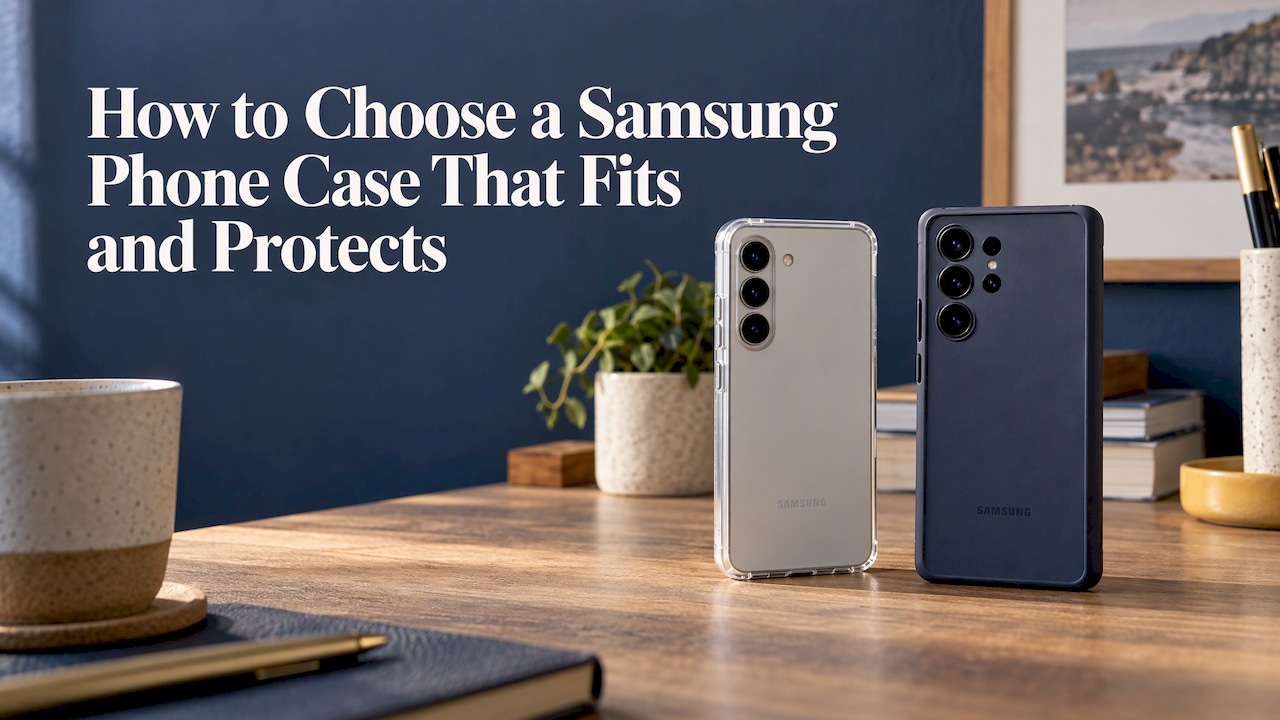
The right Samsung case does four things: it fits your exact Galaxy model, protects the corners, screen and camera, keeps the buttons and charging usable, and looks like something you chose on purpose. Work through them in that order. Confirm your model number first, because a case that is a few millimetres off will not seal around the camera or line up with the buttons. Then compare materials and protection features, and choose the design last.
This guide walks through each step, with the checks worth making before you pay and a few notes on style and gifting.
TL;DR
- Find your exact model in Settings > About phone before you shop. Cases are model-specific, even within one Galaxy series.
- Look for a snug fit, raised edges around the screen and camera, and reinforced corners. Phones tend to land on a corner.
- A hard back with a softer rim usually gives the best mix of rigidity and shock absorption without much bulk.
- If you use magnetic chargers, car mounts or grips, check for magnetic support in the case itself. Recent Galaxy flagships do not include it built in.
- Pick the design last, then match it to your style, or to the person you are buying for.
Table of Contents
- Step 1: Confirm your exact Galaxy model
- Step 2: Know what the case is made of
- Step 3: Check the protection features that matter
- Step 4: Think about wireless charging and magnets
- Step 5: Choose a design you will still like in six months
- What to expect to spend
- Perspective: why style and protection should not be a trade-off
- Ready to shop?
- FAQ
- Sources
Step 1: Confirm your exact Galaxy model
Samsung makes a lot of phones that look alike. A Galaxy S25 and an S26 sit close in size, but they are not the same. Samsung’s comparison page lists the S26 at 149.6 x 71.7 x 7.2 mm and 167 g, and the S25 at 146.9 x 70.5 x 7.2 mm and 162 g. A difference of about 2.7 mm in height is enough to leave a gap at the top of a case, or stop it clipping on.

To find your model, open Settings and tap About phone. Samsung’s support page explains where the model number sits. Write down the full name, including any “+”, “Ultra”, “FE” or “Plus” in it. Those suffixes change the dimensions and the camera layout.
Can one case fit several Galaxy phones?
Usually not. Even within a single generation, the standard, Plus and Ultra models differ in size, camera arrangement and button placement. Sizing guides from accessory sites make the same point: a case made for one model may not seat properly on another, because camera cutouts and button positions are specific to each phone. Treat “fits all Galaxy” claims with caution, and buy the case listed for your exact name.
If you are about to upgrade, do not reuse your old case. Check the new model’s page and shop for the new size.
Step 2: Know what the case is made of
Most cases combine a few common materials:
- TPU is the soft, rubbery material that sits against your phone. It absorbs shock and gives grip. Android Police describes it this way.
- Polycarbonate is a hard plastic. It resists scratches and holds its shape, and it is often used for the back panel.
- Air cushioning is simply empty space built into the case so the material has room to flex on impact.
A case that pairs a rigid shell with a softer inner layer generally does better than a single material, because the hard part spreads the force and the soft part absorbs it. Our own phone cases take this approach with a dual-layer construction designed to withstand drops. For a deeper look at each material, see our guide to phone case materials.
Grip and bulk
Grip is easy to overlook. A glossy, slippery case can be more likely to leave your hand in the first place. Texture around the sides helps. Stronger protection often means a slightly bulkier case, as Tom’s Guide notes in its roundup of S26 cases. For most people, a little extra thickness is a fair price for a phone that survives the footpath.
Step 3: Check the protection features that matter
A good case does more than cover the back. Consumer Reports says a case should fit your model precisely, with a snug seal around the frame, camera, side buttons and charging port. It should also have a raised edge around the front display and the rear camera, so those parts do not take a direct hit.
Use this checklist when you look at product photos:
- Corners. Look for extra thickness or shaped bumpers at all four corners. Phones commonly land on a corner when dropped.
- Screen lip. A slightly raised edge keeps the glass off a flat surface when the phone lands face down. Too shallow will not help, and too deep can get in the way of swiping from the edges.
- Camera ring. The lens module on a Galaxy sticks out. A raised surround protects it from scratches when the phone sits on a table.
- Cutouts and button covers. Buttons should click without effort. The charging port opening should take your usual cable without trimming.
- Drop claims. Tom’s Guide recommends confirming whether a case offers certified drop protection before you buy. If a listing mentions a drop rating, read what height and test it refers to.
A note for Ultra owners
If you own an Ultra with the S Pen, look at the slot cutout. Business Insider points out that makers have to balance protecting the bottom corner against making the pen easy to pull out and put back. The same article says the depth of the lip matters if you sketch or game, because a very deep edge can interfere with touches near the border of the screen.
Add a screen protector
A case handles the back, sides and corners. A tempered glass or film protector handles face-down contact, keys in a pocket and daily wear. Using both is the most complete setup, and most cases are designed with a screen protector in mind.
Step 4: Think about wireless charging and magnets
Most Galaxy owners now charge wirelessly at some point, in a car, on a desk or on a bedside stand. Thin cases normally let the signal through. Very thick cases, cases with metal plates or bulky add-ons can interfere with it. Consumer Reports notes that nearly all the cases it evaluated for the S26 range support wireless magnetic charging.
Here is the catch with magnets. Tom’s Guide advises that the Galaxy S26 does not include built-in Qi2 magnetic support. If you want to use magnetic chargers, car mounts or wallets, the magnet has to come from the case. So if that matters to you, choose a case with an integrated magnetic ring and confirm it in the product description.
For a closer look at how magnetic charging works on Galaxy phones, see this explainer on Samsung magnetic wireless charging. Our guide to choosing magnetic accessories in Australia covers what to look for in wallets, grips and stands.

Step 5: Choose a design you will still like in six months
Protection and fit decide what you can buy. Design decides what you will actually enjoy. A few ways to narrow it down:
- Start with your wardrobe and your bag. If most of what you wear is neutral, a bold colour case becomes the accent. If you wear a lot of colour, a muted tone can calm things down. Our post on phone case colour matching goes through it.
- Think about your phone’s colour. Some cases cover most of the back. Others leave a window or a rim visible.
- Pick limited runs if originality matters. Designs made in small batches are less likely to turn up in the hands of everyone on your train.
- Match your accessories. A case, a wallet and an AirPods case in the same colourway look deliberate.
If you want to add a personal touch without giving up protection, read how to personalise a phone case while keeping drop protection.
Buying a Samsung case as a gift
Gift buying works best when you remove the guesswork. Three things to sort out first:
- The exact model. If you cannot check the phone, ask something casual, or look at the phone’s back for the name. A wrong-size case is the most common gift mistake. Check the return policy on the shop’s own page before ordering.
- Their style, not yours. Look at what they carry and wear. Do they like muted tones, or bright colours?
- A bundle. A case plus a matching wallet or ring holder feels more considered than a case alone, and it is easy to wrap.
What to expect to spend
Prices vary widely. Tom’s Guide says most Galaxy S26 cases sit between US$20 and US$70, with a solid option around US$30. Those are US figures, so expect Australian pricing to differ. Cheaper cases can skimp on corner reinforcement or interfere with wireless charging, so judge by the features above and not by the price tag alone.
At MONTE, phone cases are $79, and the accessories that go with them start at $19 for a ring holder. Here is how the range stacks up:
| Product | Price |
|---|---|
| Phone case | $79 |
| MagSafe wallet | $49 |
| AirPods case | $39 |
| AirPods Max case | $49 |
| Phone strap | $29 |
| Magnetic grip | $44 |
| Ring holder | $19 |
Perspective: why style and protection should not be a trade-off
We started MONTE because most phone cases force a choice. You get something tough and plain, or something pretty that gives up on protection. We do not think you should have to pick.
That is why our cases use a dual-layer build designed to withstand drops, and why we release designs in limited runs. Your phone is the thing you hold more than anything else you own. It should look like it belongs to you.
When someone asks us how to choose, we say the same thing: fit first, protection second, then let your taste decide. Once the first two are covered, you can be as bold as you like. And if you want your case, wallet and earbuds case to match, that is what our colourways are for.
Josua
Ready to shop?
Browse our Samsung-ready phone cases in limited-run designs, each built with dual-layer drop protection. Add a MagSafe wallet or other matching accessories to build a set that suits you.

You can see the whole range on the MONTE homepage, including the ring holder, phone strap and magnetic grip.
FAQ
How do I know which Samsung case fits my phone?
Open Settings, tap About phone and note the full model name and number. Then buy only a case listed for that exact model. Standard, Plus and Ultra versions of the same generation have different dimensions and camera layouts, so they are not interchangeable.
Does a thicker case protect better?
Not automatically, but stronger protection often does mean a little more bulk. What matters most is where the material sits: reinforced corners, a raised lip around the screen and a raised ring around the camera. A well-designed dual-layer case can give solid protection without feeling like a brick.
Will a case stop my Samsung charging wirelessly?
Most standard cases let wireless charging through. Very thick cases or ones with metal parts can block it. If you use magnetic chargers or mounts, choose a case with a built-in magnetic ring, because recent Galaxy flagships like the S26 do not include magnetic support in the phone itself.
Should I use a screen protector with a case?
Yes, if you want the fullest protection. The case covers the back, sides and corners, while a screen protector covers the glass against face-down drops and daily scratches. They do different jobs.
Sources
- Samsung support: find your phone’s model number
- Samsung: Galaxy S26 vs Galaxy S25 comparison
- Consumer Reports: best phone cases for Samsung Galaxy S26 range
- Tom’s Guide: best Samsung Galaxy S26 cases
- Android Police: things to look for in a phone case
- Business Insider: best Samsung Galaxy S26 Ultra cases