Accessories for a New Phone: What to Buy First
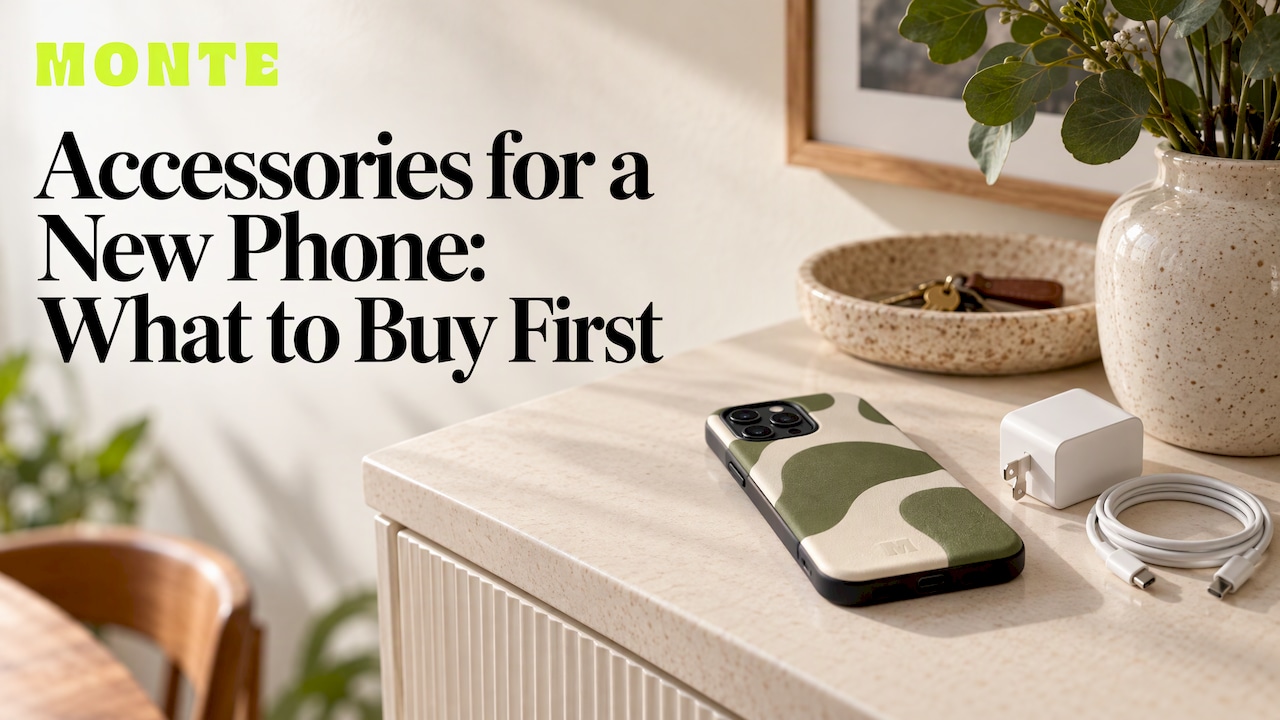
Buy three things in this order: a case, a screen protector and a charger that suits your phone. Everything else, from a wallet to a strap to earbuds, is a bonus you add once you know how you use the phone. A good case comes first because it protects the most expensive part of your phone, and it is also the accessory everyone sees. At MONTE we make limited-run phone cases with dual-layer drop protection for iPhone, Samsung and Pixel, so you don’t have to pick between a case that looks good and one that does the job.
This guide covers what is worth buying on day one, what can wait, how to be sure each item fits your exact model, and what to check on anything that plugs into the wall.
TL;DR
- Start with a case, a screen protector and a charger: reviewers from CNN Underscored to Android Central land on the same core trio.
- Look up your exact model name before you order anything. “Pro”, “Plus”, “Max” and “Ultra” models have different dimensions and camera layouts.
- For chargers and power banks, look for the Regulatory Compliance Mark (RCM) and buy from a reputable supplier in Australia.
- Add style and convenience pieces later: a MagSafe wallet, a ring holder, a strap, a case for your earbuds.
- Buying for someone else? Pick the case and match accessories to their exact phone, and choose a design they would not buy for themselves.
Table of Contents
- The short list: what to buy for a new phone
- Start with the case
- Check it fits your exact model
- Protect the screen
- Charging: speed, cables and safety
- The accessories that make a phone yours
- What to do with the phone before the accessories
- Buying for someone else
- Our view
- Build your set with MONTE
- FAQ
- Sources
The short list: what to buy for a new phone
Lists of “essential” accessories run long, and most of them pad out the essentials with extras. Android Authority’s buyer’s guide runs from a case and tempered glass screen protector to a power bank, a car mount, headphones, a memory card and a fitness tracker. Android Central trims it to five: a charging brick, a screen protector, a case, wireless earbuds and a magnetic adapter ring. For a new iPhone, CNN Underscored says a good case, a screen protector and a reliable wall charger are the place to start, and that nearly everyone benefits from a portable charger for the road.
Put those together and you get a sensible tiering:
| Priority | Accessory | Why it matters |
|---|---|---|
| Day one | Case | Protects the frame, corners and camera from drops |
| Day one | Screen protector | Takes the scratches and chips so the glass doesn’t |
| Day one | Charger and cable | Has to match your phone’s charging speed |
| First month | Power bank | Useful when you are out all day |
| First month | MagSafe wallet, ring holder or strap | Carries cards and makes the phone easier to hold |
| When it suits | Earbuds, car mount, stand | Depends on how you commute and work |
If you are a student or a young adult on a budget, the first three rows are the whole shopping list. The rest can wait for a payday.
Start with the case
A case is the one accessory that does two jobs: it keeps the phone intact and it is the part of your phone people notice. That is why it deserves the most thought.
What a protective case needs
Consumer Reports, drawing on case-industry experts, says a well-designed case should have a raised edge around the screen, raised edges around the camera housing and padded corners, ideally with an air gap. The raised edges stop the glass and lenses touching the ground when the phone lands flat. The padded corners matter because that is where most drops hit, and the impact sends stress through the glass and frame.
MONTE cases use dual-layer protection designed to withstand drops, so you are covered without settling for a plain, bulky shell.
Style is part of the decision
Cases are not a commodity. Prices in Australia run a wide range: Man of Many’s 2026 roundup of iPhone 18 Pro cases puts them at roughly $42 to $119.95 across Apple and third-party options. Much of that spread is design, materials and how limited the run is. A MONTE phone case is $79 and comes in fashion-forward designs made in limited runs, which means fewer people on your tram will be holding the same one.

If you want to compare materials before you commit, our guide to phone case materials and what each one does walks through them. For a broader walkthrough of fit and look, see how to choose a phone case that fits your phone and style.
A quick case checklist
- It lists your exact model, not just “iPhone” or “Galaxy”.
- The screen and camera edges sit proud of the glass.
- The corners are reinforced.
- The buttons and ports are easy to press and reach.
- You like the design enough to keep it on for a year or more.
Number five is the one people skip, and it is the reason most spare cases end up in a drawer.
Check it fits your exact model
A case that is a few millimetres off will not sit right, and a screen protector built for the wrong camera layout leaves gaps. The fix takes a minute: find the full model name and write it down, including words like Plus, Pro, Max or Ultra.
How to find your model
- On an iPhone, open Settings, then General, then About, and read the Model Name.
- On a Samsung Galaxy, open Settings, then About phone, and read the model name and the SM- model number.
- On a Pixel, open Settings, then About phone, and read the model name.
- Compare that name word for word with the product page before you add anything to the cart.
Two phones in the same family can look nearly identical and still have different dimensions, so the name matters more than the look.
If you bought the phone second-hand or refurbished, confirm what you actually have first. These checks to verify a used phone cover the identity and lock status before you spend money on accessories for it.
Fits is not the same as works
Physical fit is only half of it. A charger or power bank also has to support what your phone can do. Choice explains that to fast-charge you need a compatible power bank, a compatible cable and a phone that accepts fast charging, and that even USB-C cables differ in capability and are hard to tell apart by sight. Check your phone’s specifications on the manufacturer’s website to see what it supports.
Protect the screen
Both Android Central and CNN Underscored put a screen protector in the first purchases. Android Central suggests tempered glass rated 9H, or a TPU or hybrid film, and it is worth fitting it on day one, before the first scratch rather than after.
A few practical notes:
- Buy the protector for your exact model, for the same reason as the case.
- Fit it somewhere clean and dust-free, such as a bathroom after a hot shower, so that specks don’t get trapped under it.
- Make sure your case and protector work together: a case with raised screen edges leaves room for the protector.
Prices vary widely. In September 2025, Nine.com.au’s iPhone 17 accessory list had a premium glass screen protector at $49.95, which gives you a sense of where the upper end sits.
Charging: speed, cables and safety
Your new phone probably comes with a cable and perhaps no plug. A charger that matches your phone is the next purchase. Android Central advises matching the brick’s wattage and fast-charging standard, such as PPS or PD, to the phone. A far more powerful charger is not a problem for most modern phones, but a weak one means a slow top-up.
Safety checks for anything that plugs in
Charging gear holds a lithium-ion battery or feeds one, so it is the one category where a bargain can be a risk. Australia’s Electrical, Electronic and Telecommunications Equipment Safety System (EESS) says approved chargers can be identified by the Regulatory Compliance Mark (RCM), that a charger must be compatible with the specific battery to avoid damage or fire risk, and that replacement chargers are best bought from the original manufacturer or a supplier it recommends.
The same document recommends buying battery-powered equipment from a reputable supplier in Australia or New Zealand, with safety information in English, because items bought directly from overseas may not meet local requirements.
When buying electrical equipment online, Energy Safe Victoria suggests asking for the certificate of approval or approval number, matching the model and power rating to it, and checking the product on the public register. If a seller can’t supply compliance documents, you buy at your own risk.

A power bank for the road
CNN Underscored says nearly everyone should have a portable charger. Choice’s advice is to weigh capacity, size, shape and weight: a bigger battery lasts longer but is heavier in your bag. Entry-level units are cheap, and the same Nine.com.au list shows a 22.5W power bank at $25.49 after a discount, but the RCM check applies to power banks just as much as wall chargers.
The accessories that make a phone yours
Once the protective basics are in place, the fun begins. These are the accessories that change how a phone feels in daily use, and they are where a coordinated look pays off.
MagSafe wallets
A magnetic wallet snaps to the back of a compatible phone and carries your cards, which means one less thing in your pocket. A MONTE MagSafe wallet is $49, and the wallets match the case designs, so the pair looks like one piece. Our guide to choosing a MagSafe wallet in Australia covers what to look for, and the MagSafe-compatible accessories guide explains how magnetic accessories fit together.
Ring holders, straps and grips
These three solve a different problem: keeping the phone in your hand. Our ring holder is $19, the phone strap is $29 and the magnetic grip is $44. Android Central lists a magnetic adapter ring among its first five purchases, and CNN Underscored mentions a crossbody lanyard strap for hands-free carrying, which shows how popular these have become.
Cases for your other devices
A new phone often arrives with new earbuds or a tablet upgrade. We make matching cases across the range: AirPods cases from $39, AirPods Max cases at $49, iPad cases at $109, MacBook cases at $99 and Kindle cases at $69. If you want protection on a tablet, see what actually keeps your iPad safe.
What to do with the phone before the accessories
Before you fit anything, set the phone up properly, because some steps are easier with a bare handset:
- Power it on and finish the setup, signing in to your account so your data transfers across.
- Run any software updates offered at first start.
- Write down the exact model name (see the steps above) and keep it in your notes app for future shopping.
- Fit the screen protector, then the case.
- Test the charging setup with the cable and plug you plan to use daily.
Fitting the protector before the case matters: it is much harder to line one up once a case is in the way.
Buying for someone else
A phone accessory is one of the more dependable gifts, as long as you get the fit right. The two things that decide it are the phone model and the person’s taste.
- Find out the model discreetly. Ask them, or check the About screen when they leave the phone on the table. The full name matters, not just the brand.
- Choose a design that looks like them. A distinctive case is the kind of thing people rarely buy for themselves, which is what makes it a good present. Limited runs help here, since the design is not on every other phone.
- Pair it with something small. A matching wallet, strap or ring holder turns one item into a set.
- Keep it practical. Something that gets used daily beats something novel.
For more ideas by budget, see our lists of phone accessories gift ideas and gifts for phone lovers.
Our view
Most people buy a case in a rush, in the first week, and then live with it for two years. We think that is backwards. The case is the one accessory you see and touch every time you pick up your phone, so it should protect the phone and also be something you like looking at.
That is why we make our cases in limited runs, in designs that are fashion-first, with dual-layer protection built to withstand drops. Style and protection are not a trade-off. You should not have to carry a bland shell to keep your phone safe.
The same goes for the rest of the kit. A wallet, strap or AirPods case that matches your phone case makes the whole setup look intentional, and custom bundles let you mix and match styles and accessories instead of piecing it together from five different places. Start with the case, fit it to your exact model, and build outward from there.
Josua
Build your set with MONTE
If you want the case and the finishing touches from one place, start with our phone cases at $79, made for iPhone, Samsung and Pixel with dual-layer drop protection. Add a MagSafe wallet at $49 in a matching design, then choose a ring holder, strap or grip from the MONTE store to complete the look.

Custom bundle options let you mix and match styles and accessories, so your new phone starts out with a coordinated set rather than a pile of unrelated pieces.
FAQ
What accessories do I really need for a new phone?
A case, a screen protector and a charger that suits your phone cover the essentials. Reviewers such as CNN Underscored and Android Central agree on that core. Add a power bank, wallet or strap once you know how you use the phone.
How do I know a case will fit my phone?
Find the full model name in your phone’s settings, including words like Pro, Plus, Max or Ultra, and match it exactly to the product listing. Cases are cut for each model’s camera layout and button positions, so “close enough” does not work.
Is it safe to buy a cheap charger online?
Check for the Regulatory Compliance Mark and buy from a reputable supplier in Australia. The EESS warns that battery-powered equipment bought directly from overseas may not meet local safety requirements. Match the charger to your phone’s charging standard too.
Should I put the screen protector or the case on first?
Fit the screen protector first, in a clean, dust-free spot, then add the case. The case’s raised edges make it harder to line up a protector afterwards.
What is a good accessory gift for a phone owner?
A distinctive case matched to their exact model is a reliable choice, ideally paired with a small matching item such as a MagSafe wallet or strap. Confirm the model name first so the fit is right.
Sources
- CNN Underscored: 15 best iPhone accessories
- Android Central: First five things to buy when you get a new phone
- Android Authority: The best phone accessories
- Consumer Reports: The best cell phone case for your device
- Man of Many: Best iPhone 18 Pro and Pro Max cases in Australia
- Nine.com.au: Apple iPhone 17 cases and accessories list
- Choice: What to know before buying a power bank
- EESS: General safety tips for lithium-ion battery powered equipment
- Energy Safe Victoria: Buying electrical equipment online