What Is a MagSafe Case? How It Works and What to Look For
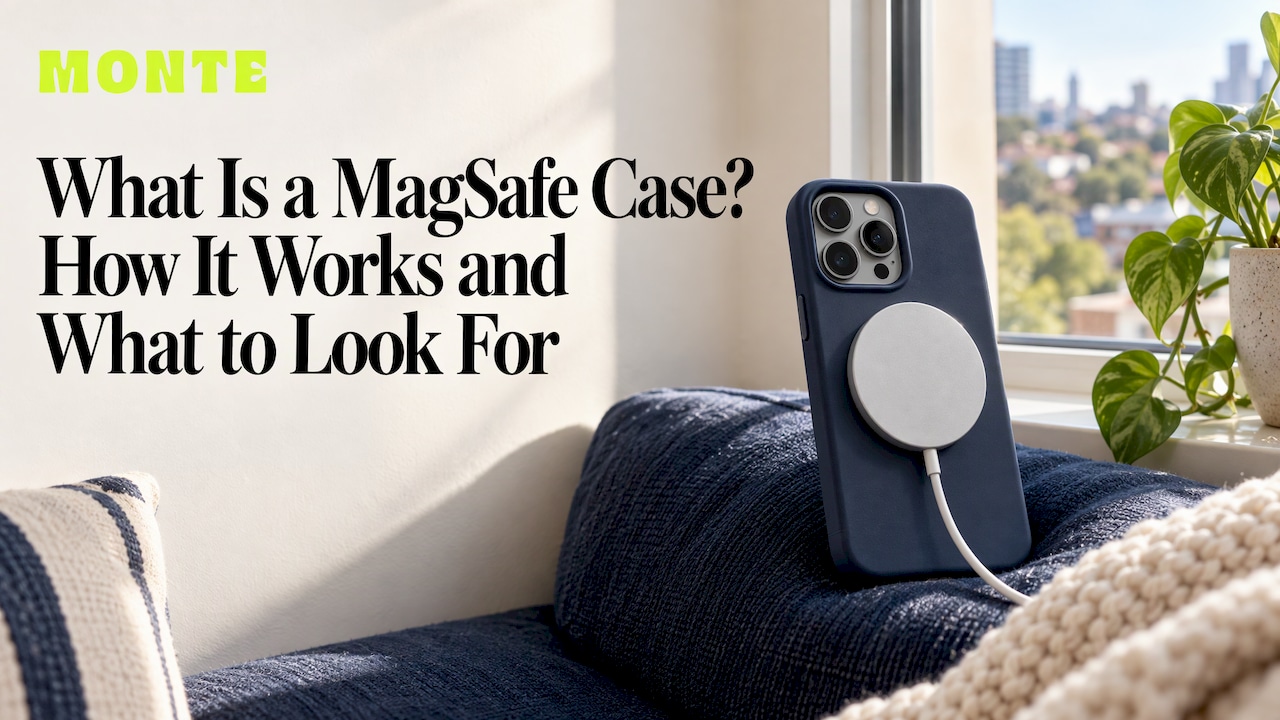
A MagSafe case is an iPhone case with its own ring of magnets built in, so the case lines up with the magnets inside your iPhone. That lets a MagSafe charger, wallet, stand or car mount snap onto the back of the phone through the case, instead of sliding around or missing the charging coil. If you want magnetic accessories to work with your phone, the case needs to be made for it. If you want the case to look good as well, you can have both: a considered design and a secure magnetic hold.
TL;DR
- A MagSafe case has a magnet ring of its own that matches the magnets in iPhone 12 and later, so accessories snap on and sit in the right spot.
- MagSafe began with the iPhone 12 series. Per Macworld, every iPhone from the 12 onward has it, except the iPhone SE and iPhone 16e.
- A regular case does not become a MagSafe case just because the phone has magnets. Without matching magnets in the case, accessories can slide off.
- Look for a clear “MagSafe-compatible” label, a visible magnet ring or circle and a design that fits your exact model.
- Protection and style still matter: choose a case you will happily carry every day and that can survive a drop.
Table of Contents
- What MagSafe actually is
- What makes a case a MagSafe case
- How a MagSafe case works with charging
- Which iPhones work with MagSafe cases
- How to tell if a case is MagSafe-compatible
- What to check beyond the magnets
- Do MagSafe magnets damage anything?
- Why we make cases the way we do
- Build a matching set
- FAQ
- Sources
What MagSafe actually is
MagSafe is Apple’s magnetic system for iPhone. Macworld describes it as a ring of magnets placed around the phone’s wireless-charging coil. The magnets let charging accessories snap into the right position and let other accessories, such as wallets, attach to the back of the phone.
Apple introduced the system with the iPhone 12 series in 2020. How-To Geek reports that it uses a circular array of magnets plus an additional alignment magnet. That second magnet is what helps the accessory sit the right way round.
The magnets do two jobs:
- Alignment for charging. The coil in the phone and the coil in the charger need to sit directly over each other. The magnets do this automatically every time.
- A general attachment point. Because the hold is magnetic, a whole range of things can use it: card wallets, stands, car mounts, grips and more.
That second job is why the term has spread from chargers to cases. Macworld’s explanation points to the same idea: MagSafe is both a charging aid and an accessory interface, so a case that supports it can work with wallets, stands and mounts as well as chargers.
What makes a case a MagSafe case
A MagSafe case contains a ring of magnets in the back panel. Those magnets sit over the magnets inside the iPhone, so the case and the phone work together as one magnetic surface. The case is also designed so it does not push the phone too far from the charger, which would stop it from working properly.
In practice, a MagSafe case:
- has a built-in magnet ring that matches the position of the ones in the iPhone;
- lets a MagSafe charger snap on and align with the phone’s coil;
- holds wallets, stands and mounts firmly rather than letting them drift;
- is cut to the exact size and camera layout of the phone it is made for.
Often you can see the ring. Many MagSafe cases show a circle or outline on the inside or the back, which is the reason people search for “the circle on phone cases”.
What a MagSafe case is not
A case without magnets is not a MagSafe case, even if it is slim and the phone has MagSafe. How-To Geek explains that the iPhone’s own magnets are not strong enough to keep the same secure hold through every case, so accessories can slide on a case without matching magnets of its own. That answers a common question: you cannot reliably turn any case into a MagSafe case. A stick-on metal ring is a workaround, not the same thing as a case designed around the magnets.

How a MagSafe case works with charging
On supported models, Apple Support Australia says a MagSafe charger snaps to the iPhone or its MagSafe case, and the magnets align it for fast wireless charging. You set the phone down or press the charger on, feel it click, and charging starts.
A few useful points:
- Speed. Macworld reports that certified MagSafe chargers can charge at up to 15 watts, or 25W with an iPhone 16 or later. The speed you see depends on the charger and power adapter you use.
- Other devices. Apple’s page notes that a MagSafe charger can still charge other iPhone models and compatible AirPods, but those devices do not get the same snap-on alignment.
- The charger matters too. If you are shopping for a charging setup to go with your case, a MagSafe wireless charging dock can charge an iPhone alongside AirPods and an Apple Watch from one spot on the desk.
The charger does the powering. The case’s job is to keep everything lined up and stay out of the way.
Which iPhones work with MagSafe cases
MagSafe began with the iPhone 12. According to Macworld, iPhones from the iPhone 12 onward have MagSafe, except the iPhone SE and iPhone 16e. So the iPhone 12, 13, 14, 15 and 16 families are the ones with the internal magnet arrangement a MagSafe case is built around.
If you have an iPhone 11 or earlier, or an iPhone SE, the phone has no magnets inside, so a MagSafe case will not give you the same snap. If you own an iPhone 16e, the same applies. Check your model before you shop. Our guide to which cases fit which iPhones walks through it model by model.
| Your phone | Built-in MagSafe magnets? | Case to look for |
|---|---|---|
| iPhone 12, 13, 14, 15, 16 families | Yes | A case with its own magnet ring, labelled MagSafe-compatible |
| iPhone SE, iPhone 16e | No | Any well-fitted protective case; magnetic accessories will not snap on |
| iPhone 11 and earlier | No | A well-fitted protective case |
Samsung and Pixel phones are a different story. They do not have Apple’s internal magnet ring, so the term “MagSafe case” is an iPhone term.
How to tell if a case is MagSafe-compatible
Macworld’s advice is simple: if you want magnetic charging or accessories to work through the case, the protective case should be labelled MagSafe-compatible. Use that as your first filter.
Then check these things:
- The label and the product description. It should say MagSafe-compatible, not just “wireless charging compatible”. Wireless charging alone says nothing about magnets.
- The model. A case is cut for one phone. A case for the iPhone 15 will not line up on the 16, even if both are MagSafe phones.
- A visible ring or circle. It is a quick visual sign that a magnet array is built in.
- The snap test at home. Once you have it, put a MagSafe wallet or charger on it. It should click into place and hold when you gently lift the phone.
- What you keep behind the phone. If you use a wallet, keep the cards in it, not stuffed between the phone and the case, which adds distance and weakens the hold.
The same logic applies to accessories. Our guide on choosing MagSafe-compatible accessories in Australia covers what to check when you buy the add-ons.
What to check beyond the magnets
Magnets are only part of choosing a case you will use for a year or two. For an everyday phone, the other questions matter as much:
- Drop protection. A case that holds up on hard floors is the point of a case at all. Dual-layer construction, with a hard shell over a flexible inner layer, is designed to absorb impact and keep the phone safe.
- Fit. Cut-outs for the camera, buttons and ports should line up cleanly. A good fit also keeps the case from creeping off the magnets.
- Grip and feel. A case that is comfortable to hold gets used. One that feels slippery or bulky gets swapped out.
- Design. You see it dozens of times a day. Pick a colour, pattern or finish you like, not the one left on the shelf.
- Matching accessories. A wallet, a ring holder or an AirPods case in the same colourway makes the whole set look intentional.
A MagSafe wallet is the accessory most people try first. It holds a few cards on the back of the phone and comes off when you want it off. Our MagSafe wallet buyer’s guide explains what to look for in size, card capacity and hold.
Do MagSafe magnets damage anything?
The most common worry is about cards and the phone itself. The magnets in a MagSafe system are designed for everyday use with a phone, and their job is only to line things up. Keep ordinary sense: don’t leave a wallet with cards, or a tightly packed set of items, pressed against the phone for no reason, and keep a charger with a clean surface between it and the case. If you have a medical implant or a pacemaker, speak to your doctor about keeping magnets near it, as with any magnetic product.
Why we make cases the way we do
We make our phone cases for people who want their phone to look like theirs and still survive a bad day. That is why every design is a limited run, and why the cases have dual-layer drop protection.
Most of the time, a case is a choice between protection and style. We think that is a false choice. When you see something every time you pick up your phone, you should like it. When the phone slips off a bench, you should not have to think about it.
The magnetic side of the phone is a good example. Magnets are useful because they turn the back of your phone into a place where things attach: a wallet, a stand, a charger. We build matching MagSafe wallets, AirPods cases, ring holders and more in the same designs and colourways, so you can put a whole look together rather than one random item.
Our advice is to pick the case first, because that is the part you will see and handle most, then add to it. Start with a design you love, check it is made for your exact model and build out from there.
Josua
Build a matching set
If you are choosing a case, MONTE makes phone cases for iPhone, Samsung and Pixel in limited-run designs with dual-layer drop protection. They start at $79. A MagSafe wallet is $49, and AirPods cases are $39. You can mix and match styles and accessories in custom bundles, which makes a good gift as well.

The full range also covers AirPods Max cases at $49, iPad cases at $109 and MacBook cases at $99, so one look can carry across your devices. If you are buying for someone else, our list of gifts for phone lovers has more ideas that get used daily.
FAQ
Can you turn any phone case into a MagSafe case?
Not reliably. The iPhone’s magnets are not strong enough to give the same secure hold through every case, so accessories can slide on a case without its own matching magnets. A case made as a MagSafe case is the way to get a firm, aligned snap.
How do I know if my phone case is MagSafe?
Check the product description for a MagSafe-compatible label and look for a ring or circle in the back of the case. Then try a MagSafe accessory: it should click into place and stay there when you lift the phone.
Which iPhones have MagSafe?
MagSafe started with the iPhone 12. Every iPhone from the 12 onward has it, except the iPhone SE and the iPhone 16e, according to Macworld. Phones before the iPhone 12 have no magnets inside.
Does a MagSafe case charge faster?
The case does not add speed. It keeps the phone and charger aligned so that wireless charging works as it should. Macworld reports that certified MagSafe chargers reach up to 15 watts, or 25W on an iPhone 16 or later.
Sources
- Guide to Apple MagSafe on iPhone and Mac: What is MagSafe?, Macworld
- What Is the Circle on Phone Cases?, How-To Geek
- MagSafe chargers and battery packs for iPhone, Apple Support Australia