iPhone Case Compatibility: Which Cases Fit Which iPhones
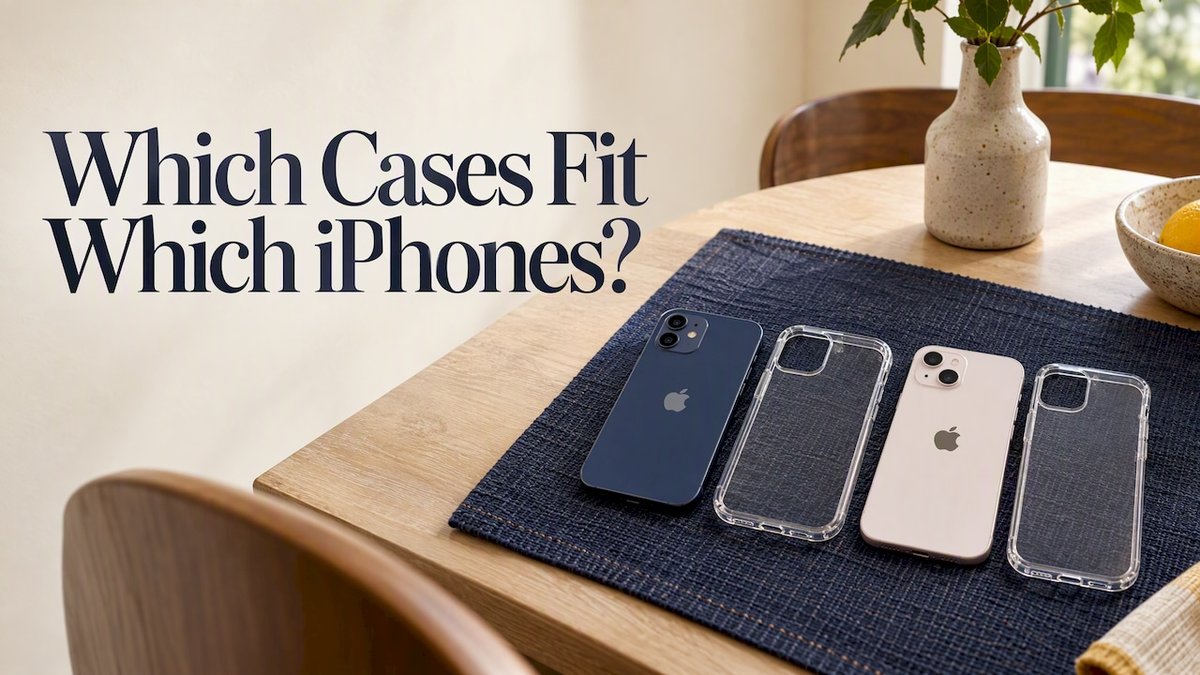
The safe rule is simple: buy a case made for your exact iPhone model. Two iPhones can share a screen size, or even near-identical dimensions, and still differ in camera layout, button positions and port cutouts. Those details decide whether a case fits properly or just looks close enough.
This guide shows you how to confirm your model, why neighbouring generations rarely swap cases, what to check on a product page besides screen size, and how to avoid the most common wrong-fit purchase.
TL;DR
- Cases are made for one specific model. Treat “close” generations as not interchangeable unless the listing names your exact phone.
- Screen size alone is a poor guide. Camera module, buttons, depth and cutouts matter just as much.
- Confirm your model name in Settings > General > About before you shop, including any Plus, Pro or Pro Max label.
- Plain, Pro, Plus and Pro Max variants within one generation each need their own case.
- A poor fit leaves buttons stiff, camera edges exposed or ports blocked, which defeats the point of the protection.
Table of Contents
- The short answer: which iPhone cases are compatible with each other?
- Why a case that fits one iPhone can fail on another
- Do iPhone 13, 14 and 15 use the same case? And what about 13 and 16?
- Which iPhones are the same size?
- How to identify your iPhone model before choosing a case
- What an iPhone case size guide should check besides screen size
- Common fitting mistakes and how to avoid them
- Our perspective: fit is the first layer of protection
- Find your case at MONTE
- Beyond phones: size matching for other devices
- A quick pre-purchase checklist
- FAQ
- Sources
The short answer: which iPhone cases are compatible with each other?
For most buyers, the answer is “only the case listed for your model”. Australian tech outlet Pickr reports that iPhone 12 and iPhone 13 cases are not interchangeable, because the button positions and camera placement differ between the two phones. The same logic applies across later generations.
It is tempting to think a case should fit if two phones feel the same in your hand. But a case is a moulded part, not a loose sleeve. It has to line up with the camera opening, the side buttons, the speaker and microphone holes and the charging port, and it has to wrap the frame at the right depth. A few tenths of a millimetre in the wrong place changes how it sits.
So when you read “fits iPhone 14 and 15” on a listing, look for the product to name both phones deliberately. If a listing only names one, buy it for that one.

Why a case that fits one iPhone can fail on another
There are five things that separate one model from the next. Any one of them can make a case unusable.
Camera module size and layout
The camera island is the most obvious difference. Regular models, Pro models and Pro Max models carry different lens arrangements, and the raised housing changes size and position between generations. A cutout that is too small clips the lens ring. A cutout that is too large leaves the camera bump unprotected and can let dust in.
Button positions and new controls
Volume buttons, the side button and the action or silent switch can sit at slightly different heights from one generation to the next. Newer models have also added controls. The iPhone 16, for instance, is described in one size chart as having Camera Control, which is a feature a case for an older phone simply has no provision for.
A case with buttons in the wrong spot feels stiff or presses a button permanently. That is the exact fault Pickr points to when it explains why 12 and 13 cases do not swap.
Depth and frame thickness
Dimensions are not only about height and width. The same size chart lists the iPhone 16 at 147.6 x 71.6 x 7.80 mm and the iPhone 17 at 149.6 x 71.5 x 7.95 mm. That is a small difference on paper, but a case is built to hug the frame, and a couple of millimetres of height changes where every cutout lands.
Port and speaker cutouts
Bottom cutouts cover the charging port, speaker grille and microphone. Even when the port itself is in the same place, a tight cutout may leave a cable plug half seated, particularly with thicker chargers. A well-made cutout leaves enough room for your everyday cable.
Magnet layout for wireless charging and wallets
If you use magnetic accessories, the ring of magnets inside the case has to sit where the phone expects it. A case that fits the body but has the wrong magnet position, or none, can weaken the hold of a wallet or charger. This matters when you plan to pair your case with a MagSafe wallet.
Do iPhone 13, 14 and 15 use the same case? And what about 13 and 16?
Short answer: do not assume they do. The only firm, sourced example here is that 12 and 13 cases do not swap. Between the 13, 14, 15 and 16, the physical differences get larger, not smaller. Newer phones add features, change camera arrangements and move cutouts, and a case designed around one set of features will not account for the next.
The widely repeated claim that “the same dimensions mean the same case” is the one to be careful with. The size chart above shows the iPhone 15 and iPhone 16 share the same height, width and depth figures (147.6 x 71.6 x 7.80 mm). If dimensions were all that mattered, they would be interchangeable. But the iPhone 16 has Camera Control, and a case built for the 15 has no cutout or button cover for it. Same footprint, different case.
The practical approach is to ignore rumours and charts of “what probably fits” and follow three steps:
- Confirm your exact model.
- Search for cases listed for that model by name.
- Read the listing for camera cutout, button covers and port openings.
If a seller says a case fits multiple generations, ask what has been checked: the camera, the buttons and the port. A good listing answers all three.
Which iPhones are the same size?
Generations often have regular models that look the same size on paper, and that is where most wrong-fit orders begin. Here is how to think about size groups without getting caught out.
| What matches | What can still differ | Result |
|---|---|---|
| Screen size (for example 6.1-inch) | Camera module, buttons, depth | Not a reliable guide |
| Height and width | Camera Control, cutouts, depth | Check the exact model name |
| Model name within a generation | Plus, Pro and Pro Max have different bodies | Each variant needs its own case |
| Two generations in the same series | Button and camera positions | Treat as separate unless the listing names both |
The screen size is the weakest guide of all. A 6.1-inch display appears on regular and Pro models alike, yet the frames, camera islands and depth differ. Treat the screen figure as a rough way to tell you are in the right size family, then move on to the model name.
How to identify your iPhone model before choosing a case
You do not need to guess from the back of the phone or from the year you bought it. Do this:
- Open Settings, then tap General, then About.
- Read the Model Name line. It will say something like iPhone 15 Pro or iPhone 16 Plus.
- Note every word in that name, including Plus, Pro, Pro Max, mini or e.
- Count your rear cameras and compare with the camera cutout in the product photos.
A size guide from Techdows recommends confirming that the model name on the case listing matches the Model Name in Settings > General > About exactly, and counting the rear cameras against the opening in the product picture. That is a sound routine, and it takes about thirty seconds.
If you bought your phone second hand or have a repaired device, still trust Settings. The name shown there is the one the listing should match.
What an iPhone case size guide should check besides screen size
When you compare cases, screen size is only the starting filter. The full checklist looks like this:
- Exact model name. Including every suffix.
- Camera opening. Number of lenses and the shape of the island.
- Button access. Covered buttons should click cleanly. Cut-out buttons should line up.
- Port and speaker openings. Wide enough for your usual cable.
- Lip height. A raised edge around the screen and camera protects better when the phone lands face or back down.
- Magnet placement. Needed for wireless charging and magnetic accessories.
- Case thickness. Matters if you carry the phone in a tight pocket or a car mount.
- Material. It changes grip, feel and how the case wears. Our guide to phone case materials explains what each does.
If you want a fuller process for choosing between styles, how to choose a phone case that fits your phone and style goes through it step by step.
Common fitting mistakes and how to avoid them
Buying by price comparison alone
A cheaper case listed for a “similar” phone is usually cheaper because it was not made for yours. If it arrives and the camera is clipped, you have spent money and still need a case.
Trusting a vague listing
Look for listings that name the exact phone. “Fits iPhone 15 series” without any variant names leaves you guessing whether the Plus or Pro versions are included.
Forgetting the variants
In a single generation, the standard, Plus, Pro and Pro Max bodies are not all the same. Pick the one that matches your Model Name, not the one that matches the generation number.
Ignoring accessories
If you use a wallet, a grip or a strap, decide that before choosing a case. A case with the right magnet layout and a strap point saves you from replacing it later.
Keeping an old case after upgrading
When you upgrade, resist the urge to put the old case on the new phone. It may feel secure, but misaligned buttons and camera cutouts are exactly what Pickr describes between the 12 and 13. Order a new case alongside the new phone so it arrives in time.
Our perspective: fit is the first layer of protection
We think of fit as part of the protection, not a separate box to tick. A case that is made for your exact phone keeps the camera edge, the corners and the buttons where the design intended. That is where a drop is won or lost.
Our cases are made in limited runs, so each design is produced for the models we list, not stretched across a vague range of “similar” phones. We build them with dual-layer protection designed to withstand drops, and we would rather you match your model name to the listing than guess.
The same thinking applies to the rest of what you carry. A MagSafe wallet, a ring holder or a matching AirPods case works best when it is chosen alongside the phone case, so the whole set looks and works as one. That is why we offer custom bundles: you pick the model, pick the look, and the pieces are coordinated.
If you are ever unsure, check Settings > General > About, read the Model Name aloud, and choose that exact model on the product page.
Josua
Find your case at MONTE
Once you have your model name, you can choose a design without worrying about fit. Our phone cases start at $79 and come in fashion-forward, limited-run designs for iPhone, Samsung and Pixel, with dual-layer protection designed to handle drops.

Want a coordinated set? Add a MagSafe wallet for $49 or an AirPods case for $39 and match the colourway. Start from the MONTE home page to browse everything in one place.
Beyond phones: size matching for other devices
The same rule applies to the rest of your tech. Tablets, e-readers and headphones each have model-specific dimensions and cutouts.
- iPad. Choose by the exact iPad generation and size. Our iPad cases are $109.
- MacBook. Match the case to your model and screen size. Our MacBook cases are $99.
- AirPods Max. These have a distinctive shape, so the case must be made for them. See our guide to choosing an AirPods Max case, or browse AirPods Max cases at $49.
- Kindle. Sizes differ between models, and Kindle case sizes explains how to match yours. Our Kindle cases are $69.
In every case, the habit is the same: find the model name first, then shop.
A quick pre-purchase checklist
Before you add a case to your cart, run through this list:
- I have read the Model Name in Settings > General > About.
- The listing names that exact model, including Plus, Pro or Pro Max.
- The camera opening matches the number and layout of my lenses.
- The buttons and ports are accessible.
- If I use magnetic accessories, the case supports them.
- I have checked the return terms on the seller’s page in case it does not fit.
If all six are a yes, you are very likely to get a clean fit on the first try.
FAQ
Can I use the same iPhone case for multiple iPhones?
Usually not. Cases are moulded for one model, and button positions and camera placement change between generations, as Pickr notes for the iPhone 12 and 13. Only use a case across two models if the listing names both of them.
What iPhones can wear the same case?
Only phones the case maker has designed for together. Matching screen size or similar dimensions is not enough, because the iPhone 15 and 16 share the same height, width and depth figures but differ in features such as Camera Control. Look for both model names on the product page.
How do I find out which iPhone I have?
Open Settings, tap General, then About, and read the Model Name line. Note any suffix such as Plus, Pro or Pro Max. Match this exactly to the case listing.
Do Plus, Pro and Pro Max versions share a case?
No. Each variant has its own body dimensions and camera arrangement, so each needs a case made for it. Pick the listing that matches your full model name, not just the generation number.
What should I check besides screen size?
Check the exact model name, the camera cutout, button access, port openings and magnet placement if you use wireless charging or a wallet. Thickness and material are worth a look too, depending on how you carry your phone.
Sources
- Can an iPhone 12 case fit the iPhone 13? – Pickr
- iPhone size chart: compare dimensions, weight, and display size – Techdows