How to Choose an AirPods Case: Fit, Protection and Style
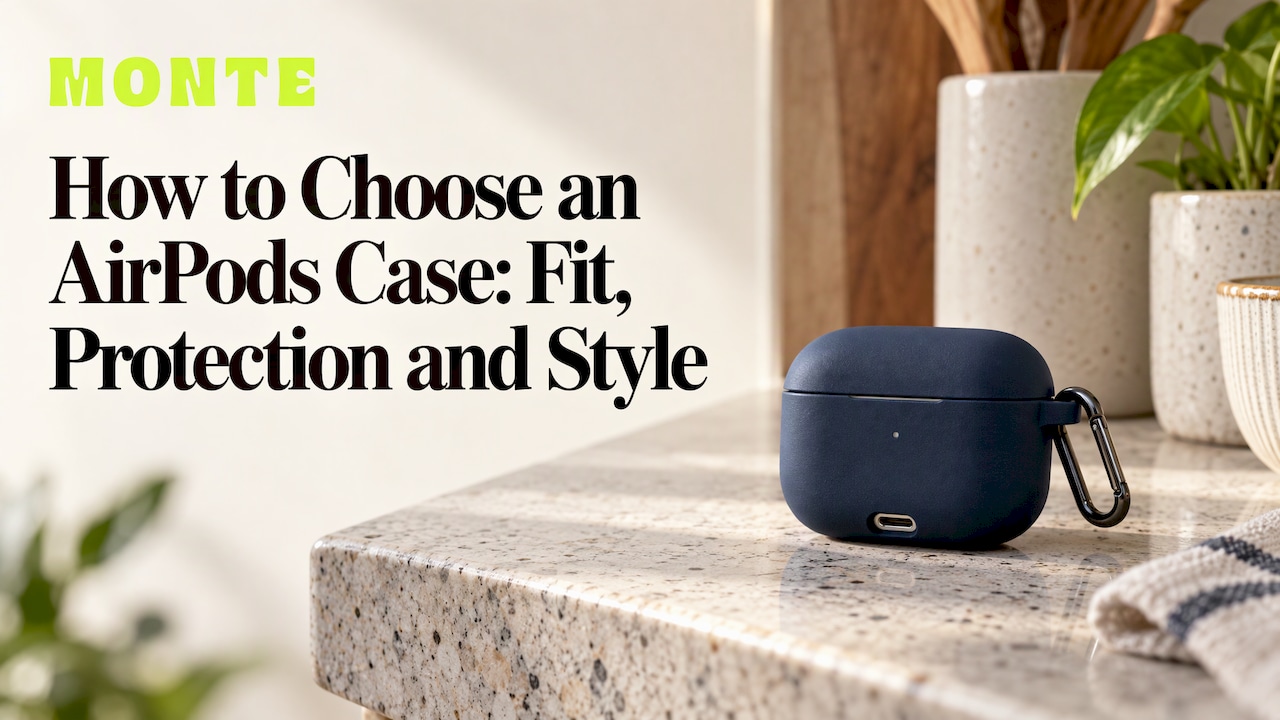
The right AirPods case comes down to three decisions, made in this order: confirm your exact model so the case physically fits, choose the protection and charging features you need day to day, then pick a design you will enjoy pulling out of your pocket. Get the first one wrong and nothing else matters. Get all three right and you have a case that protects the charging case, works with your charger and looks like yours. Our AirPods cases are made in limited runs and start at $39.
TL;DR
- Identify your model first: Apple’s model number (starting with A) is in Settings > Bluetooth or on the underside of each earbud.
- Case shapes change between generations, so a case made for one model often will not fit another, even if it looks similar.
- If you wireless charge or use MagSafe, choose a case designed for it, because thick or non-magnetic cases can slow or stop charging.
- Drops are the main risk: look for a hard or dual-layer shell and a lid that stays shut on impact.
- Style is the last filter, not the first. Pick it once fit and function are settled.
Table of Contents
- Step 1: Find out exactly which AirPods you have
- Step 2: Decide how much protection you need
- Step 3: Check charging and MagSafe compatibility
- Step 4: Think about grip and how you carry it
- Step 5: Pick a design you will still like
- A short buying checklist
- Our view: protection you can see
- Where to find a case that fits your style
- Common mistakes when choosing an AirPods case
- FAQ
- Sources
Step 1: Find out exactly which AirPods you have
Most wrong-case purchases start here. AirPods look alike from a distance, but Apple has reshaped the charging case almost every generation, so “AirPods” is not enough information to buy a case.
Apple’s support page explains two quick ways to identify your set. On an iPhone or other Apple device the AirPods are paired with, open Settings > Bluetooth and tap More Info next to your AirPods. The model number is also printed on the underside of each earbud and starts with the letter A. Apple’s page then lists each charging case by model number, status light position, charging port and charging compatibility, which is useful if you only have the case in your hand.
Some examples of why this matters, all from Apple’s own identification page:
- The MagSafe Charging Case (USB-C) for AirPods Pro 2 is model A2968. It has a USB-C port and a speaker on the bottom, a lanyard loop on the side, and a status light on the front.
- The Wireless Charging Case for AirPods 4 with Active Noise Cancellation is model A3059. It also has a USB-C port and a front status light, and works with Qi-certified wireless chargers.
Those details are what a good case is cut around: the port opening, the lanyard loop, the light and the hinge. A case made for the wrong generation will cover a light that should show, block a port, or simply not close.
Watch for look-alike generations
Some cases are interchangeable, particularly between first- and second-generation AirPods and between first- and second-generation AirPods Pro, according to WIRED. Do not assume this extends to the rest of the range. Pocket-lint notes that Apple altered the case design of almost every version at least slightly, so most versions need their own case.
AirPods Pro 2 are the classic trap. They came in a Lightning version (2022) and a USB-C version (2023), and Back Market’s help guide states that the two are not cross-compatible. If you own Pro 2, check the port on the bottom of the case before you check anything else.

For dimensions of each model, our guide to AirPods case sizes lays them out generation by generation.
A 30-second checklist
- Open Settings > Bluetooth, tap More Info and note the model number.
- Look at the bottom of the case: Lightning or USB-C?
- Check that the case has a lanyard loop if you want a strap or carabiner.
- Match the model name on the product page to the number you noted. If it does not list your model, move on.
Step 2: Decide how much protection you need
An AirPods charging case is small, glossy and usually lives in a pocket or bag with keys and coins. The realistic dangers are scratches, drops onto hard floors and the lid popping open mid-fall so the earbuds scatter. Choose protection to match your habits.
What drop testing shows
Independent testing gives a feel for what separates a good case from a weak one. The Rugby Paper drop-tested several AirPods cases and found a spread of results:
| Case type tested | Drop height survived | What happened |
|---|---|---|
| Hard shell with a physical latch | 1.5 m | No lid movement, full MagSafe compatibility |
| Rugged armour-style case | 1 m | Survived, but slid on impact and had weak MagSafe alignment |
| Sealed waterproof case | 1.5 m | Survived sealed, but not MagSafe compatible |
| Armour-style case | 1.2 m | Minor scratches, works with Qi and MagSafe |
Two lessons stand out. First, protection and charging convenience can pull against each other: the toughest-looking case is not always the one that charges easily. Second, the lid is the weak point. The same testers noted that most other lids showed some flex or popped open, and that a hard shell paired with a locking mechanism made a noticeable difference at higher drops.
WIRED’s Brenda Stolyar makes the same point from daily use: as someone who constantly drops her case, she wants all the extra protection she can get, including a hard shell and magnetic top and bottom pieces that stop the lid sliding off.
Materials in plain words
- Soft silicone or TPU: shock-absorbing, grippy and slim. It suits people who want a set-and-forget layer that slides easily in and out of a pocket.
- Hard polycarbonate shell: resists impacts and scratches, and often keeps its shape better over time. Reinforced corners and a locking latch add security for people who drop things often.
- Metal: an aluminium case reviewed by MacSources is a pressure-fit design with an anti-scratch coating and a 10-foot drop rating. It looks sleek, but a rigid metal shell is a very different object from a soft cover.
- Dual-layer construction: a soft inner layer to absorb shock under a harder outer shell. This is the approach we build our cases around, and it covers both scratches and knocks.
G Style Magazine’s review of two cases for AirPods Pro 3 frames the choice well. The soft, grippy option suits those who want a slim, set-it-and-forget-it feel, while the shell with a locking latch and reinforced corners suits people prone to hard drops.
Step 3: Check charging and MagSafe compatibility
A case that protects well but stops your AirPods charging is a bad trade. Think about how you charge.
Wired charging. Every case needs a clean cut-out for the bottom port, Lightning or USB-C depending on your model. This is another reason to confirm the port first.
Wireless charging (Qi). Apple’s page confirms that cases such as the AirPods 4 Wireless Charging Case work with Qi-certified wireless chargers. A case on top adds thickness between the charging case and the pad, so choose one designed for wireless charging.
MagSafe. MagSafe charging for AirPods is available on AirPods Pro and Pro 2, the AirPods with MagSafe Charging Case (3rd generation), AirPods 4 with Active Noise Cancellation and the Wireless Charging Case for AirPods, as Intego’s guide to MagSafe sets out. The maximum power for charging AirPods is 7.5 W. The same guide explains that MagSafe cases contain a magnet array, and that a very thin case not designed for MagSafe may still work on a MagSafe charger, but charging may be less efficient.

If you want to go deeper on magnet alignment and accessories, our guide to choosing MagSafe-compatible accessories in Australia covers it. And if you carry cards, a MagSafe wallet ($49) pairs neatly with a MagSafe-friendly setup.
Quick rule
If you charge with a pad or MagSafe puck at your desk or bedside, shortlist only cases designed for that. If you only ever plug in a cable, you have more freedom to choose on protection and looks.
Step 4: Think about grip and how you carry it
How you carry the case changes what you should buy. A few real-world patterns:
- In a pocket: slim and grippy wins. Squared edges and a textured surface make the case easier to hold when walking. WIRED’s Louryn Strampe likes a thick, grippy case with squared edges and an optional carabiner for exactly this reason.
- On a bag or keys: you need a lanyard loop on the charging case and a case that leaves it accessible, so a carabiner or strap can attach.
- In a gym bag or backpack: a hard shell and secure lid matter more, since the case is jostled around and dropped onto concrete or tiles.
- On a desk all day: style and wireless charging convenience can lead.
Personal style matters here too. The same WIRED reviewer favoured a case because it offers solid protection while still being eye-catching. That is a fair test: the case should be something you are happy to be seen with, since you will handle it dozens of times a day.
Step 5: Pick a design you will still like
Once the model, protection and charging questions are settled, you can choose freely among the options that pass. This is where a limited-run label earns its keep: bland, mass-produced covers are everywhere, and a design made in a smaller run is less likely to match the one your friend, colleague or classmate carries.
Some ways to narrow down:
- Match your phone case. A coordinated look across phone, AirPods and other devices reads as intentional. Our guide to matching your phone case and iPad case shows how, and the same logic applies to earbuds.
- Choose a colourway you wear. If your wardrobe is neutral, a bold case becomes a statement accessory. If you wear lots of colour, a calmer tone may work better.
- Think about gifting. For a gift, confirm the recipient’s model first. Ask which earbuds they have, or check the box or the case itself, and keep it to that model number.
A short buying checklist
| Question | What to confirm |
|---|---|
| Which model do I own? | Model number from Settings > Bluetooth or the earbud underside |
| Lightning or USB-C? | The port on the bottom of the case |
| How rough am I on it? | Hard or dual-layer shell, lid that stays shut |
| How do I charge? | Wired only, Qi, or MagSafe, and a case designed for it |
| How do I carry it? | Pocket, bag, keys, with or without a lanyard loop |
| Do I like looking at it? | Design and colourway, ideally coordinated with other devices |
Our view: protection you can see
Most people choose an AirPods case twice. First they buy something plain and practical, then they replace it because they never liked looking at it. We would rather you get it right once.
Our approach is to make cases that look good first, then protect properly. We build around dual-layer protection designed to withstand drops, and we release designs in limited runs, so the case you pick is less likely to be the one everybody else has.
The other thing we care about is the whole set. Your AirPods case, phone case, MagSafe wallet and other accessories should look like they belong together. That is why we offer coordinated designs and custom bundle options, so you can mix and match styles and accessories instead of settling for a pile of unrelated covers.
Whatever you pick, start with the model number. It takes thirty seconds, and it is the difference between a case that fits and a return.
Josua
Where to find a case that fits your style
If you have your model number, you are ready to shop. Our AirPods cases start at $39 and come in a wide range of designs and colourways, made in limited runs and designed for dual-layer drop protection. Pick the listing that names your model, choose a design, and you can add a matching phone case (from $79) or a MagSafe wallet to build a coordinated set with our custom bundle options.

Over-ear headphones need a different case entirely. If you own the headband model, see our AirPods Max cases at $49, or read our guide to choosing an AirPods Max case first. Our guide to choosing a phone case that fits your phone and style follows the same logic as this one.
Common mistakes when choosing an AirPods case
- Buying by name only. “AirPods Pro” covers more than one generation, and AirPods Pro 2 come in both Lightning and USB-C versions. Always match the model number.
- Ignoring the lid. Lids that flex or pop open on impact let earbuds escape. Look for a design that keeps the lid closed.
- Assuming every case charges wirelessly. Cases that are thick, or not built for MagSafe or Qi, can reduce charging efficiency.
- Forgetting the lanyard loop. If you want to clip the case to a bag, make sure the case leaves the loop accessible.
- Choosing on looks alone. A great design on the wrong model is still the wrong case.
FAQ
Will any AirPods case fit all AirPods?
No. Apple changed the case design of almost every AirPods generation, so most cases are made for specific models. Some first- and second-generation cases are interchangeable, but you should always confirm your model number against the product listing before buying.
How do I find my AirPods model number?
On an Apple device paired with your AirPods, go to Settings > Bluetooth and tap More Info next to them. You can also read the number printed on the underside of each earbud, which starts with the letter A. Apple’s support page lists every charging case by model.
Can I still wireless charge with a case on?
Yes, if the case is designed for it. Cases built for MagSafe or Qi charging keep charging working, while very thin cases not designed for MagSafe may charge less efficiently. Choose a case that states wireless or MagSafe compatibility if you charge on a pad.
What is the best material for protecting AirPods?
It depends on how you use them. A hard shell with a secure lid suits people who drop their case often, while soft, grippy materials suit pocket carry. A dual-layer design combines a soft shock-absorbing layer with a harder outer shell.
Are AirPods cases different for AirPods Max?
Yes. AirPods Max are over-ear headphones, so they need a dedicated case. We cover them separately in our AirPods Max cases range.
Sources
- Identify your AirPods - Apple Support
- The Best AirPods Cases We’ve Used In Our Day-to-Day Lives - WIRED
- How do I buy a single compatible AirPod or case? - Back Market Help
- Best Apple AirPods cases - Pocket-lint
- Drop-Tested AirPods Cases for Active Lifestyles - The Rugby Paper
- Arc Pulse Case For AirPods Pro review - MacSources
- UAG Plasma and Scout cases for AirPods Pro 3 - G Style Magazine
- The Complete Guide to Apple MagSafe Chargers, Cases, and Accessories - Intego